
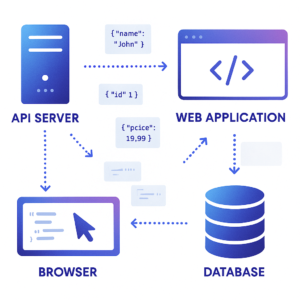
If you have spent any time working with web APIs, reading configuration files, or building modern web applications, you have almost certainly encountered JSON. It appears everywhere — in REST API responses, in package.json files, in MongoDB documents, in browser local storage, in Slack webhooks, and in hundreds of other places. But if you are new to development, or just never took the time to properly understand it, JSON can seem a little mysterious.
This guide breaks it all down in plain English. By the time you finish reading, you will understand exactly what JSON is, how it works, where it is used, and how to read and write it confidently.
What is JSON?
JSON stands for JavaScript Object Notation. It is a lightweight, text-based format for storing and exchanging data. Despite the word “JavaScript” in the name, JSON is completely language-independent — it can be read and written by virtually every modern programming language including Python, PHP, Ruby, Java, C#, Go, and many others.
JSON was created by Douglas Crockford in the early 2000s as a simpler alternative to XML. It was formally standardised in 2013 under ECMA-404 and RFC 7159, and it has since become the dominant data interchange format on the web. Today, if you are building or consuming any kind of web API, there is an extremely high chance it communicates using JSON.
JSON Syntax — How It Works
JSON is built on two core structures: objects and arrays.
A JSON object is a collection of key-value pairs enclosed in curly braces. Keys are always strings enclosed in double quotes. Values can be strings, numbers, booleans, null, other objects, or arrays. Here is a simple example:
{ “name”: “Alice”, “age”: 30, “isAdmin”: false, “city”: “London” }
A JSON array is an ordered list of values enclosed in square brackets. The values can be of any valid JSON type:
[“HTML”, “CSS”, “JavaScript”, “Python”]
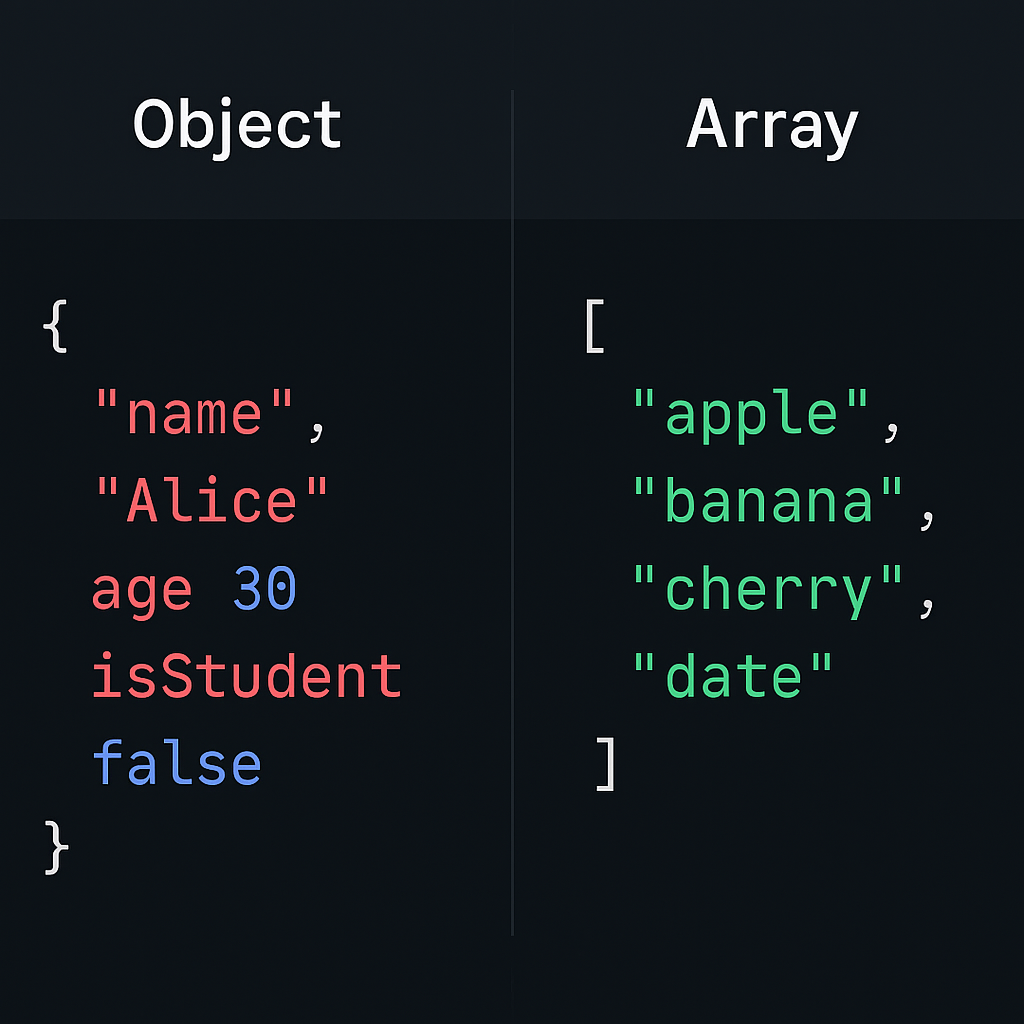
These two structures can be nested inside each other to any depth, which makes JSON flexible enough to represent virtually any data structure you might need.
JSON Data Types
JSON supports exactly six data types. Understanding these is essential because JSON is stricter than regular JavaScript — for example, JSON does not support comments, undefined values, or functions.
- String— Text enclosed in double quotes: “Hello, world”
- Number— Integer or decimal: 42 or 3.14 (no quotes)
- Boolean— Either true or false (lowercase, no quotes)
- Null— Represents an empty or missing value: null
- Object— A collection of key-value pairs: { “key”: “value” }
- Array— An ordered list of values: [1, 2, 3]
Where is JSON Used in the Real World?
The list of places where JSON appears in modern software development is remarkably long. Here are the most common ones you will encounter as a developer:
- REST APIs— The vast majority of REST APIs send and receive data in JSON format. When your app fetches data from a weather API, a payment gateway, or a social platform, the response almost always arrives as JSON.
- Configuration files— Node.js projects use package.json. Visual Studio Code stores settings in JSON. TypeScript uses tsconfig.json. JSON is the go-to format for configuration because it is human-readable and easy to parse programmatically.
- NoSQL databases— MongoDB stores documents in a format called BSON (Binary JSON). Firebase and Firestore also use JSON-like document structures natively.
- Browser storage— The Web Storage API (localStorage and sessionStorage) stores data as strings, so developers typically use JSON.stringify() to save objects and JSON.parse() to read them back.
- Server-to-server communication— When microservices communicate with each other internally, they almost always use JSON as the message format.
Common JSON Mistakes to Avoid
JSON is strict about syntax. These are the most frequent errors developers make when writing JSON by hand:
- Trailing commas— JSON does not allow a comma after the last item in an object or array. This is valid JavaScript but invalid JSON.
- Single quotes— All strings in JSON must use double quotes. Single quotes are not allowed.
- Unquoted keys— Object keys must always be quoted strings. { name: “Alice” } is invalid JSON. { “name”: “Alice” } is correct.
- Comments— JSON does not support comments. If you need comments in a config file, consider JSONC (JSON with Comments) or YAML instead.
- Undefined values— JSON does not have an undefined type. Using undefined as a value will cause a parse error.
Validate and Format Your JSON Instantly
If you are working with JSON right now and want to check whether it is valid, or simply make it more readable, our free JSON Formatter & Validator tool does exactly that. Paste your JSON in, click Format, and get clean, properly indented output in under a second — with clear error messages if something is wrong. No sign-up needed.